From a room image to a hotel lead.
Identify hotels worldwide from interior imagery. Raven compares a room image with hotel listing photographs and returns candidate hotels, each with its photographs and the location from its listing.
New in Raven. For verified agencies and investigative teams.


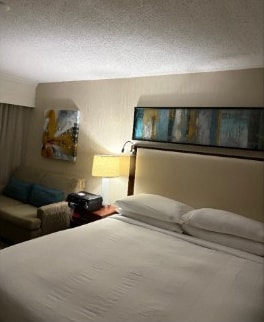
- 01Start inside the room.One interior image of a hotel room.
- 02Search hotels worldwide.Raven compares the room with hotel listing photographs.
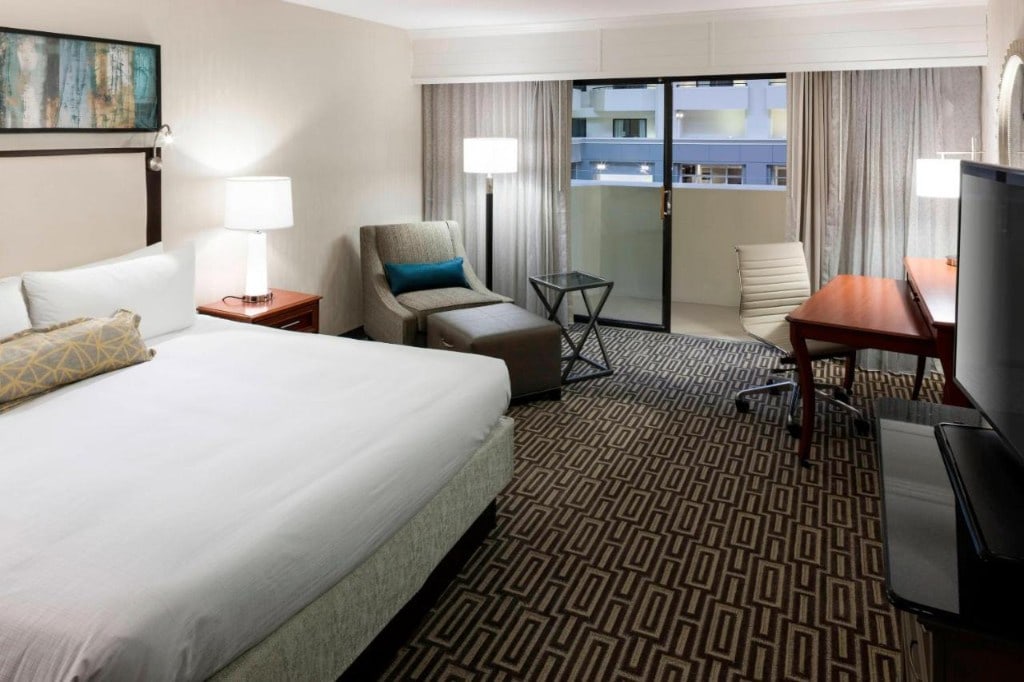
- 03Connect the details.Furniture, fixtures, and finishes connect the room to the hotel's own photographs.
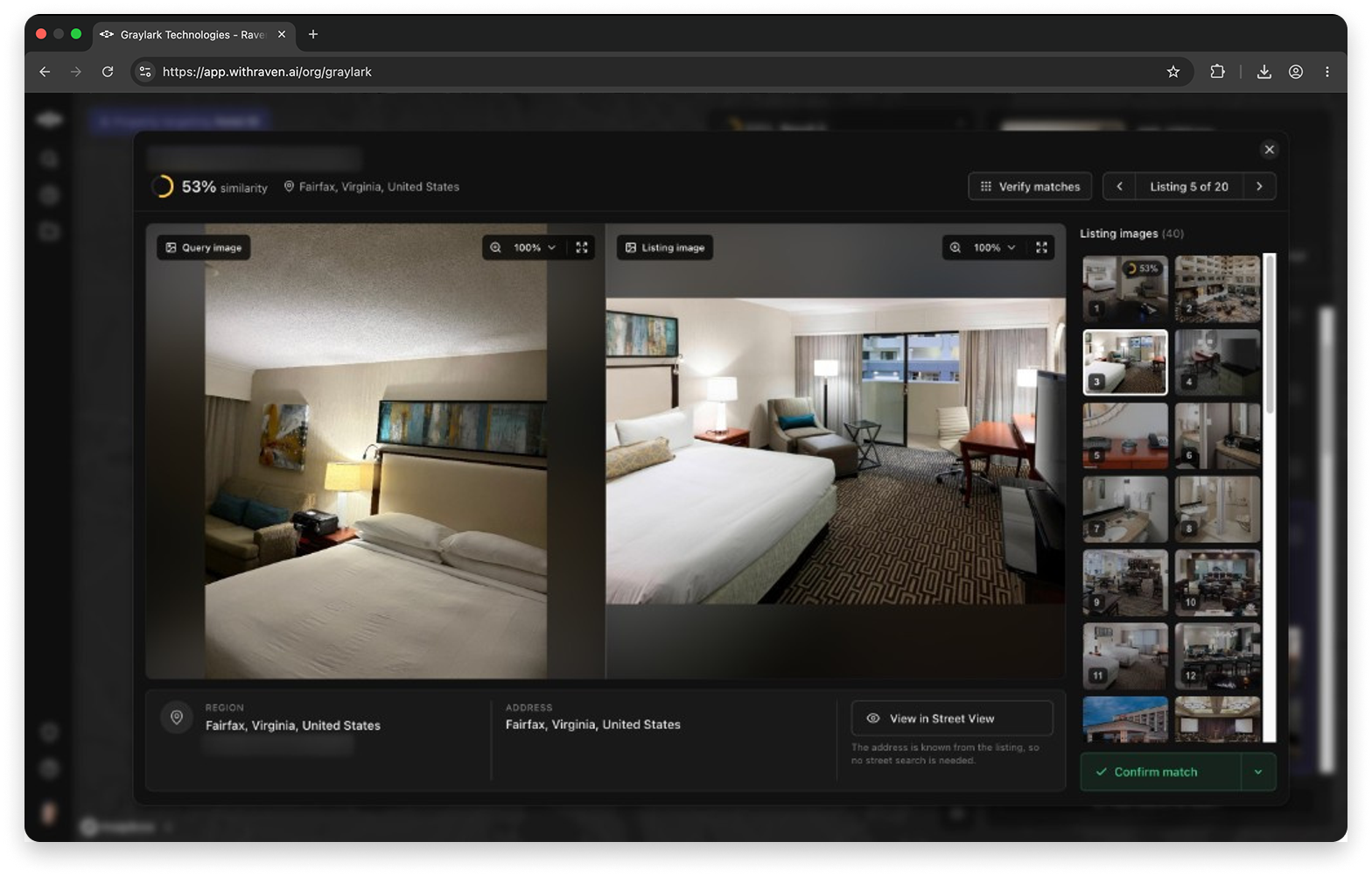
- 04Review the candidate.Each candidate hotel comes with a similarity score and its listing photographs.
- 05Put the room on the map.The location comes from the hotel's listing: a lead investigators can verify and pursue.
Illustration. The globe and links are drawn; the photographs and the result are from the example below.
-
01 Start inside the room.
One interior image of a hotel room.
-
02 Search hotels worldwide.
Raven compares the room with hotel listing photographs.
-
03 Connect the details.
Furniture, fixtures, and finishes connect the room to the hotel's own photographs. Here, the wall art, the table lamp, and the teal cushions.
-
04 Review the candidate.
Each candidate hotel comes with a similarity score and its listing photographs.
-
05 Put the room on the map.
The location comes from the hotel's listing, so no street search is needed. A lead investigators can verify and pursue.

The hotel. The photographs. The location.
Review each candidate with the information needed to investigate it. Here, the fifth of 20 candidates, with 40 listing photographs and the address from its listing.

- Candidate hotels
- Hotel listings ranked against the room and reviewed one at a time.
- Similarity score
- Orders the candidates. It is not a probability that a hotel is correct.
- Listing photographs
- The hotel's own images, shown beside the room image for review.
- Location
- Region, coordinates, and address from the listing, with a link to Street View.
Common questions.
Does Raven need GPS metadata?
No. HotelID searches using the visible content of the image.
What does worldwide coverage mean?
HotelID compares the room with hotel listing photographs from around the world. A match depends on the hotel's photographs being available and on the details visible in the room image.
How is this different from Short-Term Rental ID?
HotelID searches hotel listings. Short-Term Rental ID searches short-term rental listings. Both start from an interior image.
Are results confirmed locations?
Results are investigative leads. Investigators compare the hotel's photographs with their room image and corroborate the location before acting.
See HotelID in Raven.
Bring your team and an example image. We'll walk through the search and show how to review the results.